
Introduction
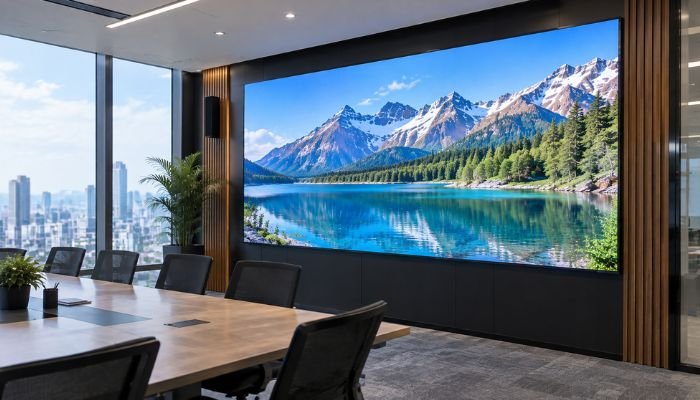
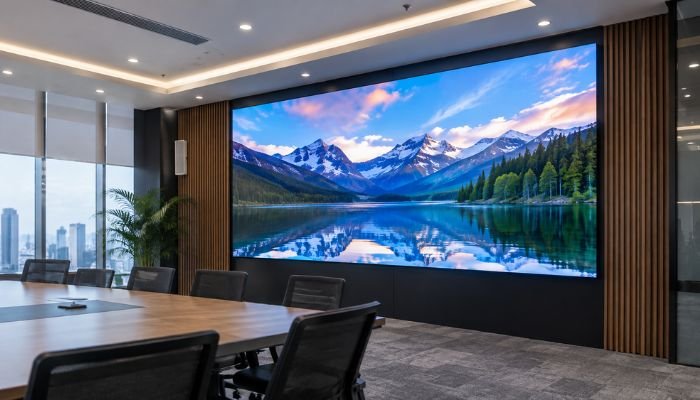
An SMD screen is an important investment for any business, yet many organizations in Pakistan treat their LED displays as “install and forget” equipment, skipping regular maintenance until a problem occurs. Regular preventive maintenance is essential for keeping the display reliable, efficient, and visually consistent over time.
Pakistan’s climate poses unique challenges for LED displays. Summer temperatures can exceed 45°C in cities like Lahore and Multan, while monsoon season brings high humidity. Dust storms in Punjab and Sindh can cover screens with fine particles that affect brightness and contribute to display issues. Even indoor displays can face challenges from power fluctuations that may affect power supplies and control components.
This guide covers 10 essential maintenance practices that can help extend the lifespan and performance of your LED display. Whether you have an indoor video wall in a corporate office or an outdoor billboard in Karachi, these tips can help keep your SMD screen operating reliably.
1. Regular Cleaning: The #1 Lifespan Extender
Dust is the silent killer of SMD screens in Pakistan. Fine dust particles accumulate on LED surfaces and in ventilation gaps, causing:
- Reduced brightness output (dust acts as a light filter)
- Heat buildup (dust blocks airflow, causing LED chips to overheat)
- Color inconsistency across the screen
- Corrosion of connectors in humid conditions
Cleaning schedule:
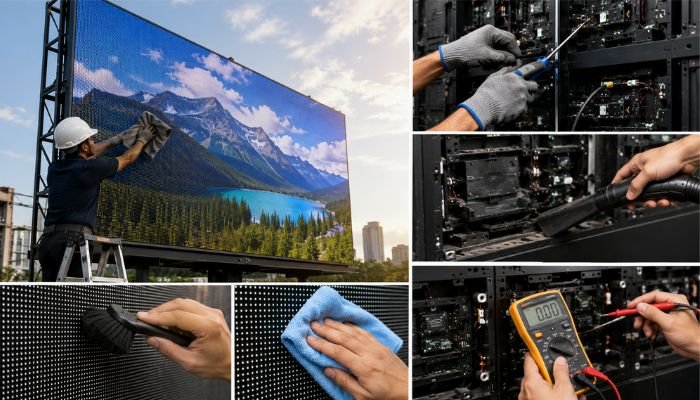
- Indoor screens: Clean every 2-4 weeks using a microfiber cloth and isopropyl alcohol (70% solution). Never use water or ammonia-based cleaners.
- Outdoor screens: Clean monthly during normal weather, weekly during dust storm season (March-May in Punjab). Use a soft brush to remove loose dust, then wipe with a microfiber cloth dampened with isopropyl alcohol.
- Behind-screen cleaning: Quarterly cleaning of the back side of panels, power supplies, and fan intakes. Dust accumulation here causes most heat-related failures.
Pro tip: Always power off the screen before cleaning. Wait 10 minutes for panels to cool to room temperature — cleaning hot LEDs with alcohol can cause thermal shock and crack the LED encapsulation.
2. Monitor and Control Operating Temperature
LED chips degrade faster at higher temperatures. A quality SMD panel rated for 100,000 hours at 25°C may only last 40,000 hours at 50°C. Pakistan’s summer temperatures push many outdoor screens well beyond their comfort zone.
Temperature management strategies:
- Install temperature sensors: Novastar receiving cards have built-in temperature sensors. Set alerts for temperatures above 65°C — this is the danger zone for LED damage.
- Reduce brightness during peak heat: Running your screen at 70% brightness during 12-3 PM (the hottest hours) reduces heat generation by approximately 30%. The visibility difference is negligible to viewers but extends LED life significantly.
- Ensure ventilation: For indoor installations, maintain at least 15cm clearance behind the screen for airflow. For outdoor cabinets, ensure cooling fans are operational and dust-free.
- Install sun shades for outdoor screens: A simple aluminum sun visor above the screen reduces surface temperature by 5-8°C during peak hours — a small investment with significant lifespan impact.
3. Power Supply Maintenance and Protection
Power supply issues are among the common SMD screen problems in Pakistan. Voltage fluctuations, load shedding, and power surges can put continuous stress on power supply units and affect screen performance. Regular inspection, proper electrical protection, and stable power management can help prevent failures and keep the LED display operating reliably.
Power protection checklist:
- Install a voltage stabilizer: For screens in areas with unstable power (most of Pakistan outside major city centers), a 5kVA-10kVA voltage stabilizer is essential.
- Use UPS for control systems: Even a 1kVA UPS dedicated to the sending card and media player prevents configuration corruption during power outages.
- Check power supply LEDs quarterly: Most power supplies have indicator LEDs. Green = healthy, red or off = failure. Replace failed units immediately to prevent load redistribution to remaining units.
- Inspect power connectors: Every 6 months, check for discoloration or melting on power connectors. Brown or blackened connectors indicate resistance buildup — replace before they cause a short circuit.
4. Calibrate Brightness and Color Quarterly
LED brightness naturally decreases over time — this is called lumen depreciation. Different colored LEDs degrade at different rates, with red LEDs typically fading faster than green and blue. The result is a screen that gradually shifts toward a blue-green tint and becomes dimmer.
Calibration process:
- Use Novastar’s SmartLCT or VX software to access the calibration tool.
- Run the brightness uniformity test — identify modules that are noticeably dimmer or brighter than the average.
- Apply brightness correction to bring all modules within 5% of each other.
- Run color balance calibration — adjust RGB levels to achieve a neutral white.
- Save the calibration profile and document it for future reference.
5. Protect Against Pakistan’s Monsoon Season
The monsoon season (July-September) is the harshest period for outdoor SMD screens in Pakistan. Heavy rain, high humidity, and electrical storms create a triple threat. Pre-monsoon preparation should be completed by June:
- Inspect all weather seals: Check rubber gaskets between panels for cracks or compression. Replace any that are brittle or deformed.
- Reapply silicone sealant: Check the frame perimeter and any cable entry points. Reapply marine-grade silicone where needed.
- Test drainage: Outdoor cabinets should have drainage holes at the bottom. Clear any blockages to prevent water accumulation.
- Install surge protection: Lightning-induced surges during monsoon storms are a major cause of sending card and power supply failures. A Class C surge protector at the main power input is non-negotiable for outdoor installations.
- Reduce brightness during rain: Water on the screen surface causes light refraction, making the screen appear dimmer. Don’t compensate by increasing brightness — this wastes power and generates unnecessary heat.
Replace Dead Pixels Promptly
Individual pixel failures can occur over time. The key is to address them promptly before they affect the surrounding display area. Replacing damaged LED modules and checking the affected section helps maintain consistent brightness, image quality, and overall screen performance. Regular inspection can also help identify pixel issues early and prevent further display problems.
Dead pixel management protocol:
- Monthly visual inspection using solid color test patterns (red, green, blue, white, black)
- Document the location and count of dead pixels after each inspection
- Replace modules when dead pixel count exceeds 0.1% of total pixels on that module
- Keep 2-3 spare modules on hand for quick replacement — ordering replacement modules takes 2-4 weeks in Pakistan
7. Maintain the Control System
The sending card and media player are the brain of your SMD screen. If they fail, your entire display goes dark — even if every LED panel is perfectly fine. Control system maintenance is often overlooked but prevents the most dramatic failures.
Monthly tasks:
- Check sending card status indicators (Novastar cards show green when healthy, red when faulted)
- Back up display configuration files to cloud storage or USB — reconfiguring from scratch takes 2-4 hours
- Update media player software and content management system
- Check network connectivity if using remote content management
8. Keep a Maintenance Log
Documentation is the difference between planned maintenance and reactive firefighting. A simple maintenance log helps you:
- Track which modules have been replaced and when (identifying recurring problem areas)
- Monitor brightness decline over time (predicting when recalibration or panel replacement is needed)
- Provide warranty evidence if you need to make a claim
- Calculate true cost of ownership and plan for eventual screen replacement
Include in your log: date, maintenance type, parts replaced, technician name, screen temperature readings, and any anomalies observed. A Google Sheet or simple notebook works fine — the format matters less than consistency.
9. Schedule Professional Deep Maintenance Annually
While routine cleaning and checks can be done in-house, a professional deep maintenance once a year catches issues that visual inspection misses:
- Internal module inspection (removing panels to check back-side components)
- Power supply load testing under full brightness
- Cable continuity testing with a multimeter
- Full calibration with professional color analyzer
- Structural inspection (especially critical for outdoor installations — checking frame integrity and mounting bolts)
10. Train Your Team on Emergency Protocols
When something goes wrong with an SMD screen, the first 10 minutes matter. Quick action prevents minor issues from becoming major damage:
- Screen goes dark: Check power supply indicators first, then sending card status. Don’t restart the system repeatedly — this can corrupt the configuration.
- Visible smoke or burning smell: Immediately cut power at the main breaker (not just the screen switch). Do not attempt to investigate until power is confirmed off.
- Water ingress during monsoon: Power off immediately. Do not turn back on until the affected area is completely dry (typically 48-72 hours with forced air circulation).
- Partial screen failure: Reduce brightness to 50% and contact a technician. Continuing at full brightness overloads remaining power supplies.
Frequently Asked Questions
How long do SMD screens last in Pakistan?
With proper maintenance, quality SMD panels last 8-10 years (the rated LED life). Without maintenance, expect 3-5 years before significant degradation. The difference is almost entirely in maintenance practices, not the quality of the initial installation.
Can I clean my outdoor SMD screen with water?
No. Water can seep into panel gaps and cause short circuits, even on IP65-rated screens. Use isopropyl alcohol (70%) with a microfiber cloth. For stubborn grime, use a specialized LED screen cleaning solution.
How do I know if my power supplies are failing?
Warning signs include: brightness flickering on specific screen sections, unusual heat from the back of the screen, burning smell, and discoloration of power connectors. If you notice any of these, shut down the affected section and call a technician.
Should I sign an annual maintenance contract (AMC)?
For outdoor screens and any installation above 10 sqm, an AMC is highly recommended. AMCs typically include quarterly visits, unlimited emergency calls, and priority response. The annual cost is usually less than two emergency repair visits.
Conclusion
A well-maintained SMD screen delivers 8-10 years of reliable performance. A neglected one fails in 3-5 years and costs more in repairs than the maintenance would have. In Pakistan’s challenging climate, maintenance isn’t optional — it’s the difference between an investment that pays for itself and an expense that drains your budget.
Pro SMD Screens offers comprehensive maintenance contracts for LED displays across Pakistan — from quarterly calibration to emergency repairs. Contact us for a free maintenance assessment of your existing SMD screen installation.