

Quick Answer: Commercial SMD screen maintenance in Pakistan requires structured quarterly preventative care: vacuuming cabinet ventilation dust filters, inspecting receiver card ribbon cables, calibrating power supply voltages (5V rail stability), and swapping faulty LED module diodes via front-service magnetic tools. Pro SMD Screen provides certified engineering support, OEM spare parts (Unilumin, Hikvision, LAMPRO, Absen), and SLA emergency repairs across Lahore, Karachi, and Islamabad.
Most LED screen failures are not sudden. They grow from dust in the cabinet, heat, a loose ribbon cable or a power supply drifting out of tolerance. Regular smd screen maintenance catches these problems while they are still cheap to fix, and it keeps the picture uniform for years. This guide sets out a practical schedule, safe cleaning methods and a troubleshooting sequence used by Pro SMD Screen engineers on commercial installations.
Why Maintenance Matters in Pakistani Conditions
Pakistan puts displays under real stress. Summer heat pushes cabinet temperatures up, dust enters through ventilation openings, and unstable mains power or generator switching strains power supplies and cards. An outdoor screen in Lahore or Karachi works in harsher conditions than the same product in a temperate climate, so the maintenance interval has to respect local reality.
A structured routine also protects your warranty. Manufacturers and installers can only support a claim when the service history shows the screen was looked after, which is why every Pro SMD Screen visit ends with a written report.
SMD Screen Preventative Maintenance Schedule
| Maintenance Interval | Task | Front Magnetic Service Cabinets | Rear Bolt Service Cabinets |
| Daily | Visual inspection with white, red, green and blue test patterns | Check from the front; no tools needed | Check from the front; rear walkway checked for obstructions |
| Monthly | Filter and ventilation cleaning, surface and seal inspection | Clean grilles and filters from the front panel access | Clean filters from the rear; inspect gaskets and cable glands |
| Quarterly | Thermal check, ribbon cable inspection, 5V power supply measurement | Remove modules with a magnetic tool to reach cables and cards | Open the rear panel; check connectors, cards and supplies |
| Annual | Colour uniformity recalibration and spare module audit | Calibrate through the CMS; swap faulty modules from the front | Calibrate through the CMS; unbolt and swap modules from behind |
Fanless sealed cabinets have no filters to clean, so the monthly task there becomes a surface and seal inspection. Your engineer will tell you which items apply to your specific series.
Daily Visual Inspection
The cheapest maintenance task takes two minutes. Once a day, display a full white, red, green and blue test pattern and look for dead pixels, dark modules, colour patches and flicker. Photograph anything unusual with the date, because a trend over several days helps the engineer diagnose the cause.
Also check the surroundings. Look for blocked airflow, leaks above the screen, loose cables or objects leaning against the cabinets. Many failures start from the environment rather than the display itself.
Safe Cleaning of Cabinets, Filters and Ventilation
Always switch off and isolate the power before cleaning. For fan-cooled cabinets, vacuum the ventilation grilles and dust filters monthly, and more often near construction, kitchens or busy roads. Dust acts like a blanket, trapping heat inside the cabinet and shortening the life of power supplies.
- Use:a soft brush, a vacuum with a brush head and a lint-free dry or barely damp microfibre cloth.
- Avoid:water sprays, solvents, compressed air at close range and abrasive pads, which can damage the mask or push dust deeper.
- Outdoor screens:inspect gaskets, cable glands and drain points for cracks after every heavy rain season.
Wipe the surface gently in one direction, and never press on the lamp area. Sealed medical and food environments follow their own cleaning protocol, which we agree with your facility team beforehand.
Power Supply and Receiver Card Checks
Quarterly, an engineer should inspect receiver card ribbon cables for loose or oxidized connectors and reseat them carefully. Dark blocks or flickering regions are very often a cable or card issue, not a failed diode.
Power supplies need a voltage check. LED modules typically run on a 5V rail, and a rail that sags or fluctuates produces dim areas, colour shifts and random resets. The engineer measures output under load with a multimeter and replaces any unit that cannot hold stable voltage. Adjustment is done only by trained staff, because incorrect settings damage modules instantly.
Supply quality is the other half of the story. Stabilizers, correct earthing and surge protection should be inspected during the same visit, particularly where generator changeover is common.
Diode and Module Repair: Front Magnetic Versus Rear Bolt Service
Service access decides how fast a repair is. Cabinets with front magnetic service let a technician remove a faulty LED module with a magnetic tool and fit a replacement from the front, without touching the structure behind. This suits wall-mounted and tight installations where there is no rear space.
Rear bolt service cabinets are accessed from behind through a maintenance walkway, and modules are unbolted from the back. They are common in outdoor billboards and large structures where rear access exists. Either type works well when planned in advance, but the access method must be confirmed during design because it cannot be changed later.
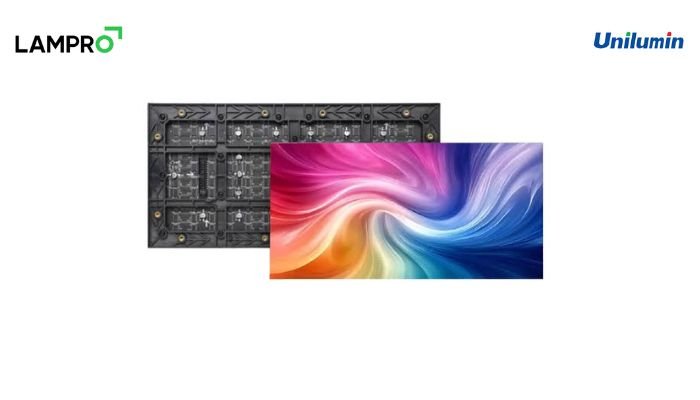
When a single diode fails, the practical repair is usually to swap the whole module, since individual diodes are too small for reliable field soldering. Using batch-matched OEM modules from Unilumin, Hikvision, LAMPRO or Absen keeps colour consistent between old and new sections. We hold these spares in our local warehouse, which is why covered repairs avoid long waits for overseas parts.
Thermal and Colour Calibration
Heat and ageing change how a screen looks. Each quarter our engineers check cabinet temperature, fan operation and brightness settings, then correct any drift. Once a year they recalibrate colour uniformity through the control software so that older and newer modules match, and white stays white across the whole wall.
Brightness should follow the environment. Running an indoor screen at full output wastes power and ages diodes faster, so we set levels by ambient light and, for outdoor panels, by time of day.
Troubleshooting Common SMD Screen Faults
- Dead pixel or small dark patch:a faulty module or a loose module connector; reseat first, then replace the module.
- Whole cabinet dark:check the power supply output and the data cable from the neighbouring cabinet.
- Flickering or random lines:inspect ribbon cables, the receiver card and the quality of the incoming signal.
- Colour patches or uneven brightness:run uniformity calibration, and check for modules from mixed batches.
- Screen turns off in the afternoon:suspect overheating, blocked filters or a failing fan.
Work through the list from simplest to most complex, and note what you tried. If the fault persists after a reseat and a power check, call the engineer instead of opening further, since repeated handling can damage connectors.
Spare Parts and Service Records
Keep a small on-site kit: two or three spare modules, a receiver card, a spare power supply and the magnetic tool for your cabinet type. Label the box and store it dry. Pair it with a service log that records every visit, part replaced and test result, because the log shows patterns and speeds up any warranty discussion.
Maintenance Support Across Lahore, Karachi and Islamabad
Pro SMD Screen provides certified engineers, OEM spare parts and SLA emergency repairs for Unilumin, Hikvision, LAMPRO and Absen displays. Offices in Lahore and Karachi, with coverage in Islamabad, Rawalpindi and Faisalabad, mean that an engineer is rarely far from a commercial hub. Our field experience includes The Compound Gym Lahore in Faisal Town and video walls across Gulberg and Blue Area Islamabad.
Many clients take an annual maintenance plan that combines the schedule above with priority response. For the terms that protect your investment, read our warranty guide, and see our indoor SMD screens and outdoor LED screens for product options. Plans are quoted per project, and we publish no static prices.
Frequently Asked Questions
How often should an SMD screen be serviced?
Do a quick visual check daily, clean filters monthly, run a professional inspection and thermal check quarterly, and recalibrate colour uniformity annually.
Can I clean an LED screen with water?
No. Power the screen off and use a soft brush, a vacuum with a brush head or a lint-free microfibre cloth. Water and solvents can damage modules and electronics.
What is the difference between front magnetic and rear bolt service?
Front magnetic cabinets are serviced from the front with a magnetic tool, while rear bolt cabinets are serviced from behind and need a maintenance access space.
Why does part of my screen flicker or go dark?
Common causes are loose ribbon cables, a failing receiver card or a power supply that cannot hold a stable 5V rail. An engineer can diagnose it quickly.
Conclusion
Good maintenance is routine, documented and done by trained people. Follow the schedule, keep spare modules on hand and agree a response plan before a fault appears. To arrange an inspection or a maintenance contract, contact the Pro SMD Screen team